The Old Way Was Slow
For 18 months, AETHER's development workflow looked like this: open Claude in a browser tab, describe what we needed, copy the generated code, paste it into VS Code, debug what broke, go back to Claude for fixes, copy-paste again. Repeat forever.
It worked. But it was painfully slow.
The problems were real and compounding:
- Context limits — Long conversations would hit token limits and Claude would forget earlier decisions
- Copy-paste errors — Every transfer between browser and editor was a chance for something to break. Missed a closing bracket? Enjoy your 20 minutes of debugging
- No state between requests — Each new conversation started from zero. We'd spend 10 minutes re-explaining the project structure before getting to the actual question
- Slow feedback loops — See an issue, switch to Claude, explain it, get a fix, copy it back, test it. A 30-second fix became a 5-minute round trip
We estimated we were losing 35-40% of our development time to the mechanics of working with AI, not the actual building.
Enter Claude Code
Claude Code is a CLI tool that puts Claude directly in your terminal. Instead of copying and pasting between a browser tab and your editor, Claude reads your files, writes code directly to your codebase, runs commands, and maintains full context of your project.
It's the difference between texting a contractor instructions and having them stand next to you on the job site.
The Speed Difference
We tracked our metrics for the first 30 days after switching. The numbers were stark:
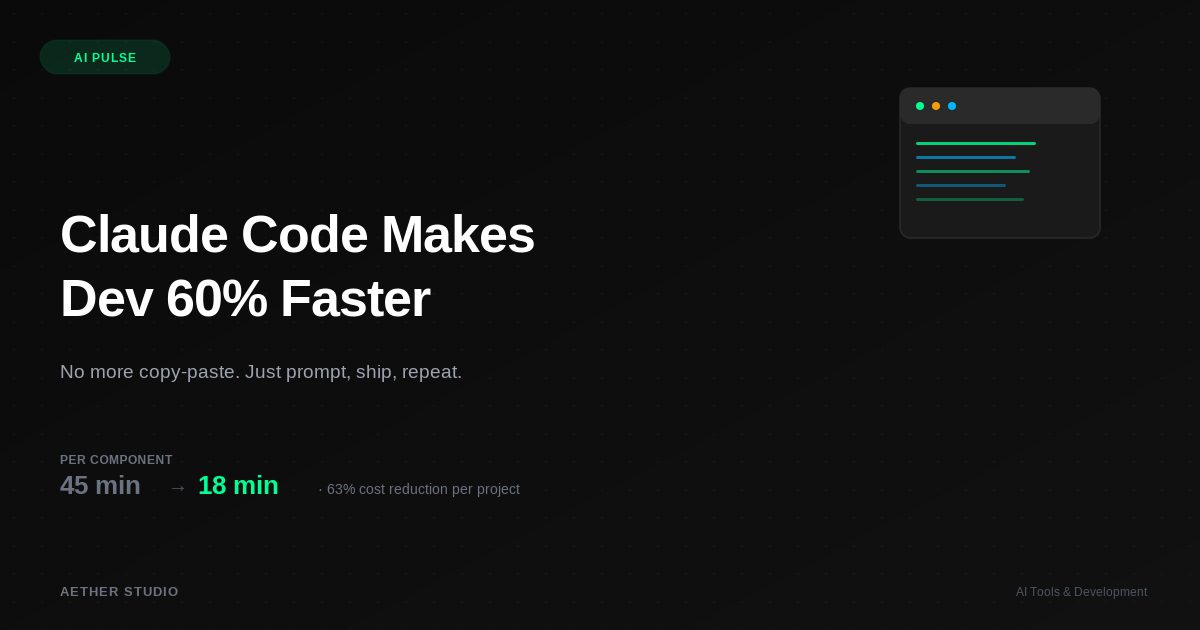
- Before (Claude web): 45 minutes per component average
- After (Claude Code): 18 minutes per component average
- Speed improvement: 60%
But the raw time savings don't capture the full picture. Here's what a typical task looks like now:
- Scaffold a new project — 45 seconds. Claude Code reads your templates, sets up the file structure, installs dependencies, and configures your stack
- Build a UI component — 2 minutes. Describe what you want, Claude Code writes the component, the styles, and the tests
- Fix a bug — 15 seconds. Claude Code reads the error, finds the file, understands the context, and applies the fix
- Refine a component — 20 seconds. "Make the padding larger and add a hover state" — done, saved, ready to test
No copy-paste. No context loss. No formatting issues. No re-explaining your project for the 47th time.
Where Claude Code Excels
After 30 days of intensive use, we've mapped out where Claude Code adds the most value:
New Project Setup
Claude Code is absurdly good at scaffolding. Give it your stack preferences (React 18, Vite 5, Tailwind, Supabase) and a basic description of the project, and it generates the entire foundation — config files, folder structure, base components, database schema, deployment config. What used to take half a day takes 10 minutes.
CRUD Operations
Create, Read, Update, Delete interfaces are the bread and butter of web apps, and they're largely pattern-based. Claude Code recognizes these patterns and generates complete, working CRUD flows with proper error handling, loading states, and form validation.
UI Components
This is where vibe coding really shines. Describe a component in natural language — "a pricing card with three tiers, the middle one highlighted, with a toggle for monthly/annual billing" — and Claude Code builds it. Not a rough draft. A polished, responsive, accessible component.
Styling and Polish
Tailwind utility classes are perfect for AI-assisted development because they're declarative and composable. "Add a subtle gradient background, increase the border radius, and animate the button on hover" gets translated into precise utility classes instantly.
Bug Fixes
Claude Code can read the error output, trace it back to the source, understand the surrounding code, and apply a targeted fix. For straightforward bugs — typos, wrong imports, missing props, logic errors — the fix-to-deploy cycle drops from minutes to seconds.
Where Humans Still Win
Claude Code is powerful, but it's not a replacement for human judgment. Here's where we still take the wheel:
- Architecture decisions — Which database to use, how to structure the API, what to build vs. buy. These require business context and long-term thinking
- Product strategy — What to build, for whom, and why. AI can execute a vision but can't define one
- Creative direction — Brand voice, design language, emotional resonance. The parts that make a product feel human
- Complex debugging — When the bug is architectural, not syntactical. When it's a race condition or a state management issue that requires understanding the full system
- Code review — Claude Code writes good code, but someone needs to ensure it aligns with the broader codebase and long-term maintenance goals
The New Workflow
Here's what a typical AETHER development session looks like now:
1. Define the goal — What are we building in this session? 2. Set up context — Point Claude Code at the relevant files and explain the constraints 3. Vibe code — Describe features in natural language, iterate rapidly, test as we go 4. Human review — Step back and evaluate architecture, UX, and code quality 5. Polish and ship — Final refinements and deployment
The ratio has shifted. We spend 20% of our time directing and 80% reviewing and refining — instead of 80% typing and 20% thinking.
The Bottom Line
Switching to Claude Code didn't just make us faster. It changed the economics of what we can build. Projects that would have required a team of 3 working for a month now get done by 1-2 people in a week. That means lower costs for clients, faster delivery, and more time spent on the creative decisions that actually matter.
The AI coding landscape shifted. If you're still copy-pasting from a browser tab, you're leaving speed on the table.
Want to See It in Action?
AETHER uses Claude Code on every project we build. If you want to see what AI-accelerated development looks like — and what it can do for your next project — let's talk.